
Why Trust Matters
Dating is high-stakes. Users are putting themselves out there, sharing personal information, and hoping to meet someone real. The biggest barriers to signup are:
- Is this site real or a scam?
- Will my data be safe?
- Are there real people here or just bots?
- Will I actually meet someone, or waste my time?
- Is this safe? Could I be harassed or scammed?
Trust signals reduce these concerns and drive signups. Studies show that adding trust signals can increase conversion by 10-40%, depending on the implementation.
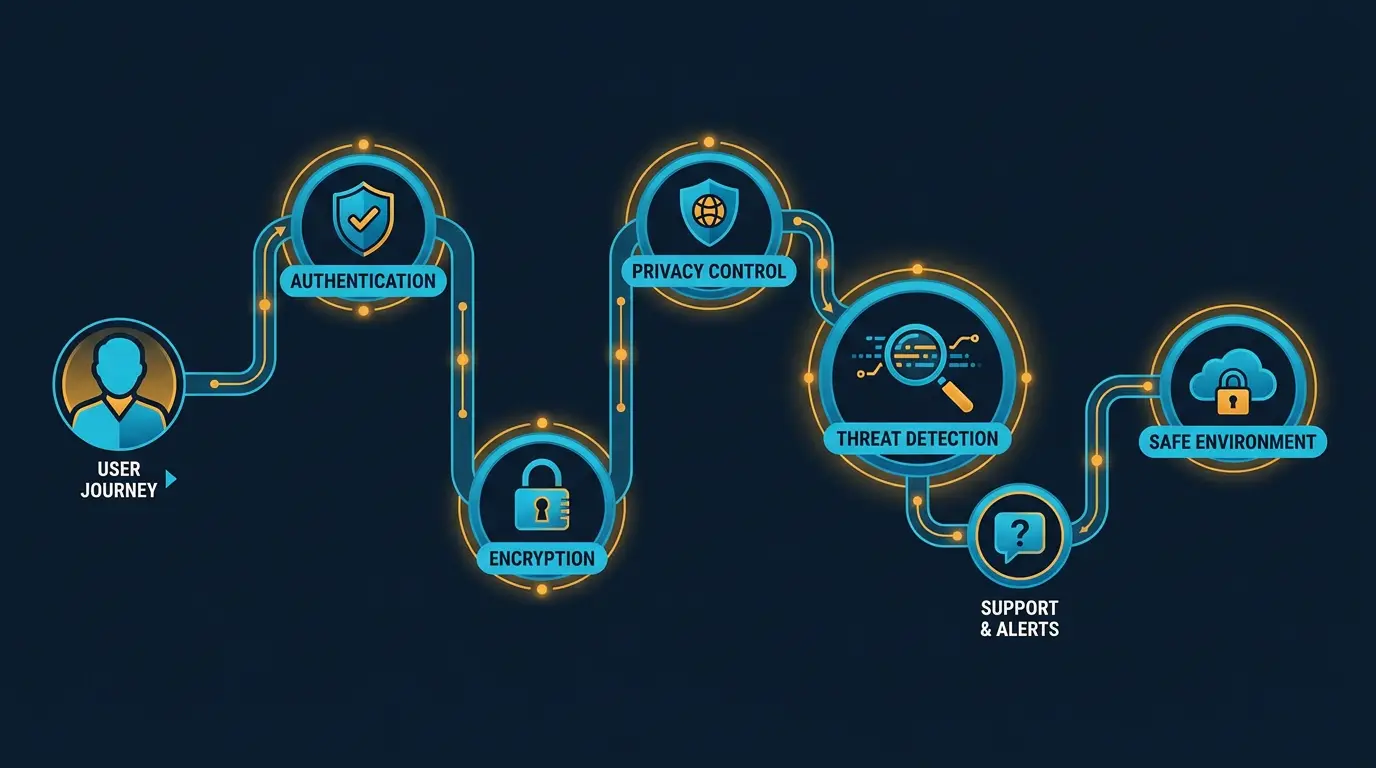
Security Trust Signals
Users need to know their data is encrypted and safe.
SSL Certificate (HTTPS)
This is table stakes. Every site should have HTTPS. Users look for the lock icon in their browser.
If your site doesn't have HTTPS, don't bother with other trust signals. You'll fail at the first checkpoint.
Implementation:
- Use a reputable certificate authority (Let's Encrypt, Comodo, Symantec)
- Display the lock icon prominently (most browsers do this automatically)
- Ensure all pages (including payment pages) use HTTPS
Cost: Free with Let's Encrypt or $100-300/year with premium CAs.
Trust Badges and Security Seals
Security badges tell users their site is verified by a third party. Common badges:
- Norton/Symantec: "Secured by Symantec" - high trust
- McAfee Secure: Shows the site is monitored for malware
- GeoTrust: SSL verification badge
- Cloudflare: DDoS protection and security
- Privacy Shield / Standard Contractual Clauses: For GDPR compliance (less relevant now after Schrems II ruling)
High-Trust Badges (Most Credible):
- Norton/Symantec Secure Site Pro
- McAfee Secure
- Thawte
Lower-Trust Badges (Still Helpful):
- Cloudflare
- SSL certificate issuer badge
Cost: Norton Secure Site Pro is $500-1000/year. McAfee Secure is $400-800/year. Many are cheaper if bundled with hosting.
Where to Display:
- Homepage footer (most common)
- Payment page (critical)
- Login page
- Footer and about pages
Verification and Authenticity
Users want to know profiles are real people, not bots or catfish.
Identity Verification
The strongest trust signal is verified identity. This tells users "we checked that this person is real." Implement comprehensive identity verification and age verification to show users you take safety seriously. These directly impact user acquisition costs by increasing retention and conversion.
Methods:
- Photo Verification: User takes a selfie that matches their profile photo
- ID Verification: User uploads government ID (driver's license, passport)
- Phone Verification: User confirms their phone number
- Email Verification: User confirms their email
- Social Media Verification: User connects their Facebook or LinkedIn
- Background Check: Third-party background check (more common for premium platforms)
Trust Impact:
- Photo verification: High (hard to fake)
- ID verification: Very High (proves real identity)
- Social media connection: Medium (shows real profile)
- Background check: Very High (vets for criminal history)
Implementation:
- Make verification visible: Show a "Verified" badge on verified profiles
- Separate tabs: Show verified profiles first
- Incentives: Give verified users more visibility or messaging credits
- Requirements: For paid platforms, verification might be required
Cost:
- Photo verification: Build in-house with liveness detection ($10k-50k initial investment, $0.10-0.50/user)
- ID verification: Third-party providers like IDology, Mitek ($0.50-2/user)
- Phone verification: Twilio ($0.01/SMS)
- Background checks: Third-party providers like Checkr, Clear ($5-20/check)
Verification Badges
Display verification badges prominently:
- Green checkmark for verified profiles
- "Verified" label on profile
- Separate "Verified Members" section
- Messaging benefits (verified users can message faster)
This drives signups because users see real people on the platform.
Anti-Bot Technology
Users worry about bots. Show that you detect and remove them.
Tools:
- CAPTCHA on signup and login
- Behavior analysis (flag suspicious activity)
- AI detection (flag bot-like messages)
- Manual review (staff review reported profiles)
Be transparent:
- "We use AI to detect and remove bots"
- "Our team manually reviews reported profiles"
- Show removed bots as a statistic ("We've removed 10,000+ bots this month")
Social Proof and Reviews
Users want to know other people have had success on your platform.
User Reviews and Testimonials
Success stories are powerful. Show profiles of people who met on your platform.
Best Practices:
- Use real names and photos (with permission)
- Show profile pictures (builds authenticity)
- Include the story of how they met
- Result: Married, engaged, in a relationship, still dating
- Dates: Include when they met (shows platform is active)
Example: "Sarah and Mike met on WhiteLabelDating in 2024. They matched on shared interests in hiking and travel. Now they're engaged and planning their wedding."
Where to Display:
- Homepage (hero section with testimonials)
- About page
- Marketing materials
- Trust section of signup form
Cost: Ask real users for testimonials (free). Use video testimonials ($100-1k to produce).
Star Ratings
Show your platform's ratings on major review sites.
- Google Reviews
- Trustpilot
- App Store reviews (iOS/Android)
- Site review sites (if applicable)
Display them on your homepage: "4.8 out of 5 stars from 5,000+ users"
Note: Negative reviews hurt trust. Address them professionally and publicly.
Success Stories and Media Coverage
Press mentions and awards build credibility.
Examples:
- "Featured in TechCrunch, Forbes, and The Verge"
- "Best Dating App for [Niche]"
- "30,000+ couples met here"
- "Winner of [Award]"
Display logos of publications that have mentioned you:
- TechCrunch, Forbes, Mashable
- "As seen in..." section
Design and User Experience
Design quality is a trust signal. A sloppy, outdated design signals that the platform isn't well-maintained.
Professional Design
Invest in professional design:
- Modern, clean UI (not outdated or cluttered)
- Consistent branding
- Fast loading times
- Mobile-optimized (most dating is on mobile)
- Intuitive navigation
A designer familiar with dating platforms is worth the investment. Users expect slick design.
High-Quality Photos
Use high-quality photos on your platform and marketing materials:
- Professional headshots on team page
- Real user photos (not stock photos)
- Product screenshots showing real profiles
- Avoid cheap or generic stock photos
Loading Speed
Page speed is a trust signal. Slow sites feel broken or untrustworthy.
Best Practices:
- Load pages in under 2 seconds
- Optimize images and assets
- Use a CDN (content delivery network)
- Monitor and test performance regularly
Tools:
- Google PageSpeed Insights
- GTmetrix
- WebPageTest
Mobile-First Design
Most dating happens on mobile. If your mobile experience is poor, you'll lose users at signup.
Best Practices:
- Mobile-optimized forms (single column, large buttons)
- Fast mobile loading
- Touch-friendly interface
- App version (iOS and Android) if possible
Safety and Moderation
Users want to know the platform is safe from harassment, abuse, and predators.
Community Standards
Display your community standards prominently:
- Link on homepage and footer
- "Report a problem" button visible on profiles
- Clear enforcement ("We remove violators within 24 hours")
Example language: "We're committed to a safe community. We remove harassment, hate speech, and predatory behavior. Report violations using the flag button."
Response Time
Tell users you respond quickly to reports:
- "We review reports within 24 hours"
- "We've removed 500+ accounts for violations this month"
- "Average response time: 4 hours"
This shows you're actively moderating.
Manual Moderation Team
Show that humans review reports, not just algorithms:
- "Our team of moderators reviews reports 24/7"
- "Photos reviewed by our team before appearing on the platform"
- Moderator training and expertise
Safety Features
Highlight specific safety features:
- "Block and report buttons on every profile"
- "Verified members badge for identity-verified users"
- "Video call verification for video dating"
- "Anonymous messaging until users feel safe"
Safety Tips
Provide safety guidance:
- "First date tips" (meet in public, tell a friend, etc.)
- "How to spot catfish"
- "Recognizing red flags"
- "If something feels wrong, trust your gut"
Safety tips reduce user liability while showing you care about their wellbeing.
Transparency and Legal
Users want to know the platform is legitimate and legally compliant.
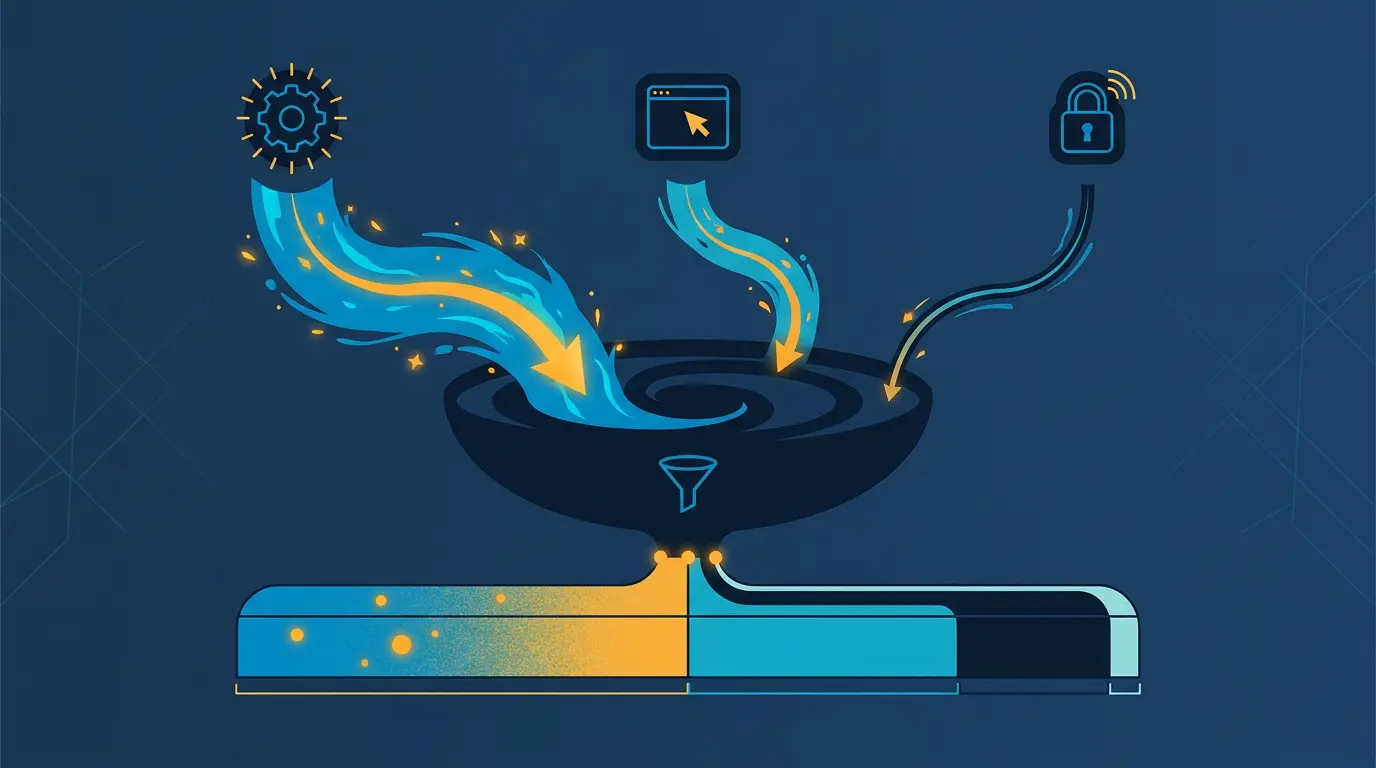
!Trust conversion funnel showing how trust signals improve signup rates *Trust conversion funnel showing how trust signals improve signup rates*
Privacy Policy and Terms of Service
Make these easy to find and read:
- Link in footer
- Easy language (not legal jargon)
- Clear explanation of data practices
- Users should see them before signup
Having these is table stakes. Absence of TOS/Privacy Policy is a major red flag.
Company Information
Show who's behind the platform:
- Company name and location
- Team page with real people (not stock photos)
- Contact information (email, phone, address)
- LinkedIn profiles for team members
Anonymity is a red flag. Transparency builds trust.
Business Model
Be clear about how you make money:
- "We offer a free app with optional premium features"
- "Pricing: $9.99/month or $79.99/year"
- "No hidden charges or surprise fees"
- "Easy cancellation"
If your business model is unclear or deceptive, users won't trust you.
Dispute Resolution
Show how you handle complaints:
- "Email support: support@whitelabeldating.com"
- "Average response time: 4 hours"
- "We offer refunds for [X reason]"
- "Dispute resolution: [Process]"
Users want to know they can get help if something goes wrong.
Creator and Brand Signals
If you have a well-known brand or founder, leverage it.
Founder Credibility
If the founder has a track record:
- Previous successful companies
- Media presence (articles, podcasts, interviews)
- Twitter/LinkedIn following
- Industry recognition
Highlight this on your site:
- Founder bio on about page
- Media appearances
- Speaking engagements
- Articles written
Brand Partnerships
Partner with complementary brands:
- Dating coaches
- Relationship counselors
- Lifestyle brands
- Media outlets
Display partner logos on your site.
Certifications and Awards
If your platform has certifications or awards:
- Cybersecurity certifications (ISO 27001, SOC 2)
- Industry awards ("Best Startup," "Top Dating App")
- Academic partnerships or endorsements
Trust Signals by Platform Type
Different platforms emphasize different signals.
Niche Dating (Faith, LGBTQ+, etc.)
Trust signals for niche platforms:
- Community focus: "Created by [group] for [group]"
- Active moderation: "We maintain community values"
- Safety emphasis: "Safe space for all"
- Founder story: Why you built this platform
- Media coverage in niche outlets
Example: A Christian dating app might highlight:
- Founder's faith journey
- Church partnerships
- "Faith-forward matching"
- Reviews from Christian magazines
Premium/Luxury Dating
Trust signals for premium platforms:
- Exclusivity: "Vetted members only" or "Premium members only"
- Verification: "ID verification required"
- Concierge service: "Personal dating coaches"
- Success stories: "Average couple income: $200k"
- High-quality design and UX
Free Dating Platforms
Trust signals for free platforms:
- Volume: "500k+ active members"
- Testimonials: "Real success stories"
- Awards: "Top-rated dating app"
- Moderation: "Removing bots and fakes"
- Premium option: "Premium features available"
Implementation Checklist
Here's a checklist to audit your trust signals:
Security (Critical)
- [ ] HTTPS on all pages
- [ ] Security badge on homepage
- [ ] Security privacy policy
- [ ] Data protection disclosures
Verification (High Priority)
- [ ] Verification badges on profiles
- [ ] Identity verification option
- [ ] Email and phone verification
- [ ] "Verified members" filter
Social Proof (High Priority)
- [ ] User testimonials on homepage
- [ ] Star ratings displayed
- [ ] Success story section
- [ ] User count ("500k+ members")
Design (High Priority)
- [ ] Professional, modern design
- [ ] Fast loading (under 2 seconds)
- [ ] Mobile-optimized experience
- [ ] High-quality photos
Safety (High Priority)
- [ ] Community standards visible
- [ ] Report button on profiles
- [ ] Safety tips for users
- [ ] Moderation response time disclosed
Legal (Critical)
- [ ] Privacy policy accessible
- [ ] Terms of service accessible
- [ ] Company information visible
- [ ] Contact page with real contact info
Brand (Medium Priority)
- [ ] About page with team
- [ ] Founder credibility signals
- [ ] Media coverage displayed
- [ ] Awards or certifications
Optional (Nice to Have)
- [ ] Press mentions
- [ ] Partnerships displayed
- [ ] Content (blog, safety guides)
- [ ] Video testimonials
Key Takeaways
- Trust is the biggest barrier to signup for dating platforms
- HTTPS, privacy policy, and company transparency are table stakes
- Verification badges (especially photo and ID verification) are high-impact
- User testimonials and success stories are powerful conversion drivers
- Professional design and fast loading times signal legitimacy
- Active moderation and safety features reduce user anxiety
- Show your team and founder credibility
- Display security badges and certifications
- Be transparent about your business model and data practices
- Different platform types emphasize different signals (niche vs. premium vs. free)
- Regular audits of trust signals help identify gaps
- Test trust signals with A/B tests to measure impact
- Users will trust you more if you're honest about what you are and how you work
Trust is built through consistency. Deliver on your promises, respond to issues quickly, and be transparent. Over time, you'll build a platform users recommend to friends.
DatingPartners ships with all 20 features out of the box. Brand them, don't build them.
Visit DatingPartners.com →